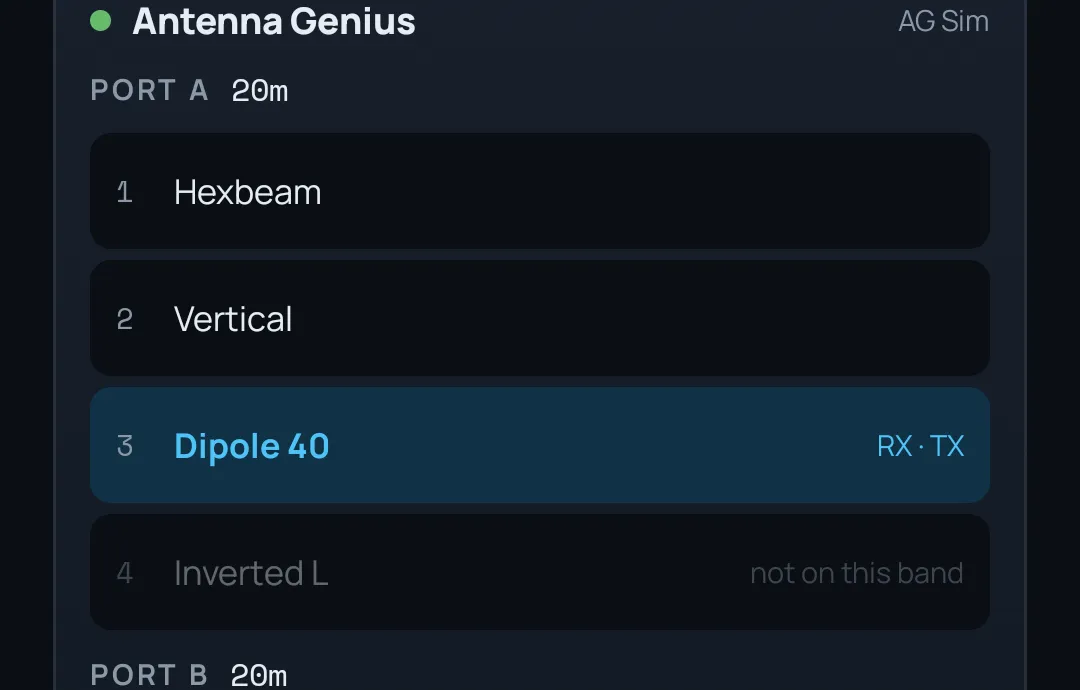
If your station has a 4O3A Antenna Genius switch, you can now pick antennas from the phone instead of walking to the switch or opening another program.
Where it is
Open Tools › Station. The Antenna Genius card sits after the Power Genius XL. The app finds the switch on your network by itself and shows its name.
- Port A and Port B each show the band the switch has them on, and the switch’s antennas by name.
- Tap an antenna to select it for that port. It becomes the receive antenna, and the transmit antenna too when the switch has it enabled for transmit on that band. A receive-only antenna such as a Beverage never becomes the transmit antenna.
- Antennas the switch doesn’t allow on the port’s current band are dimmed (“not on this band”) and can’t be picked.
- The card follows the switch live, so a band change or a selection made on the switch itself shows up straight away.
What you need
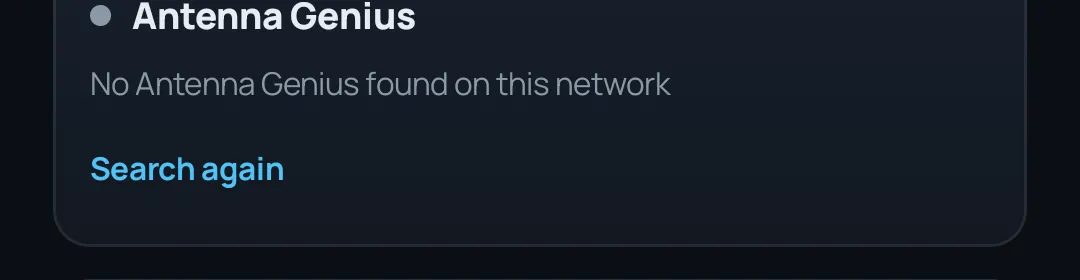
The phone has to be on the same network as the switch. On a SmartLink (remote) session the card says so. If the app can’t find a switch, it says so and offers Search again.
What we tested
The app follows 4O3A’s published Antenna Genius API. We tested it against a simulated switch, not a real one, so a few details the API documentation leaves open still need checking on real hardware. If the dimmed antennas don’t match what your switch allows, please tell us.
It’s coming in the next SmartSDR AF test build and reaches everyone with a later Google Play update. Feedback is welcome on our Discord.