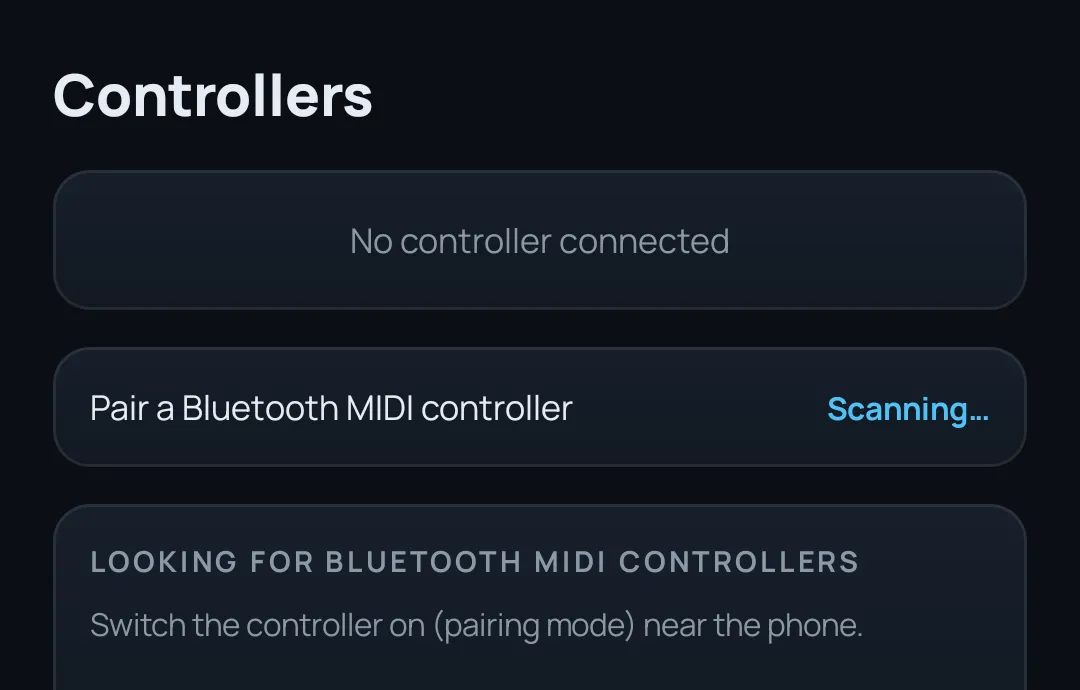
MIDI controllers aren’t only USB. SmartSDR AF can now pair a Bluetooth LE MIDI controller, so you can tune with a knob box without a cable to the phone.
How to pair
- Open Tools › Controllers and tap Pair a Bluetooth MIDI controller.
- The first time, Android asks for permission to find nearby devices. The app asks only at this point, never at start-up.
- Switch the controller on (pairing mode) near the phone. The app looks for Bluetooth MIDI controllers for 20 seconds and lists what it finds.
- Tap yours to connect.
From then on it works exactly like a USB controller: it’s listed as “Bluetooth MIDI”, with the same Learn and mappings. Paired controllers are remembered and reconnect when the app starts or when you open Controllers, if they’re on and in range. Forget stops that.
When it can’t
If something stands in the way, the screen says what: Bluetooth permission refused, Bluetooth switched off, Location off (on Android 11 and older, which need it for Bluetooth scans), nothing found, or a controller that wouldn’t connect. A phone without Bluetooth LE is told so before any permission prompt.

What we tested
We tested the permission prompt, the scan and the messages on an Android emulator. An emulator can’t pair a real Bluetooth MIDI controller, so connecting one is still to be checked on a phone. If you have one, we’d love to hear how it goes.
It’s coming in the next SmartSDR AF test build and reaches everyone with a later Google Play update. Feedback is welcome on our Discord.