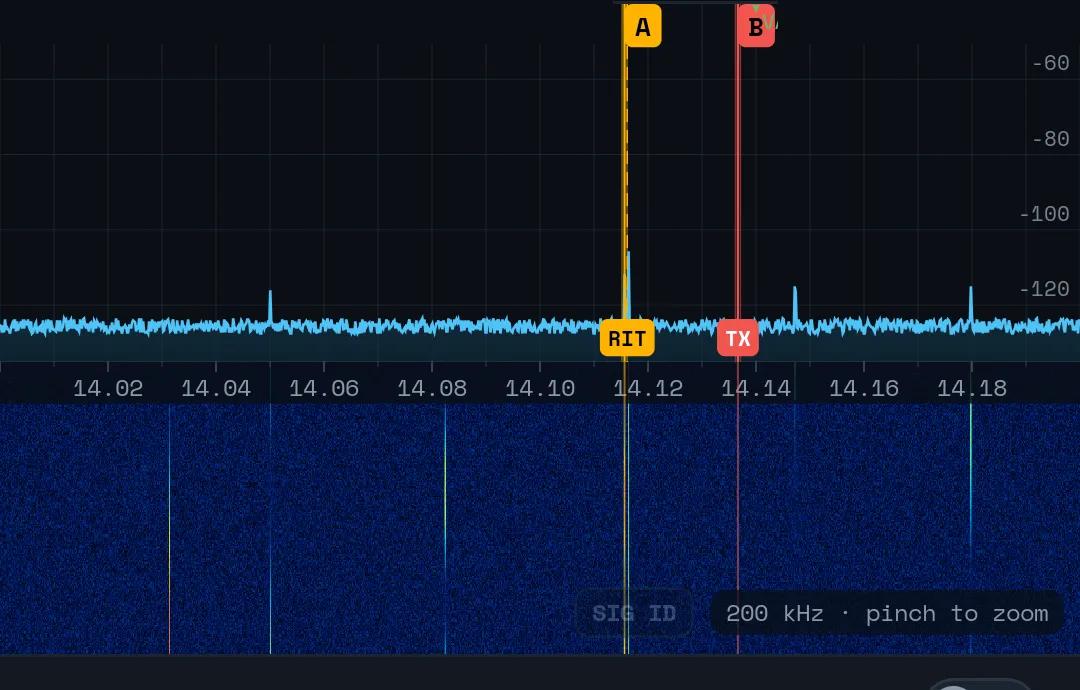
Two small things for CW operators: a Zero beat button, and markers that show where you’re really listening and transmitting.
Zero beat
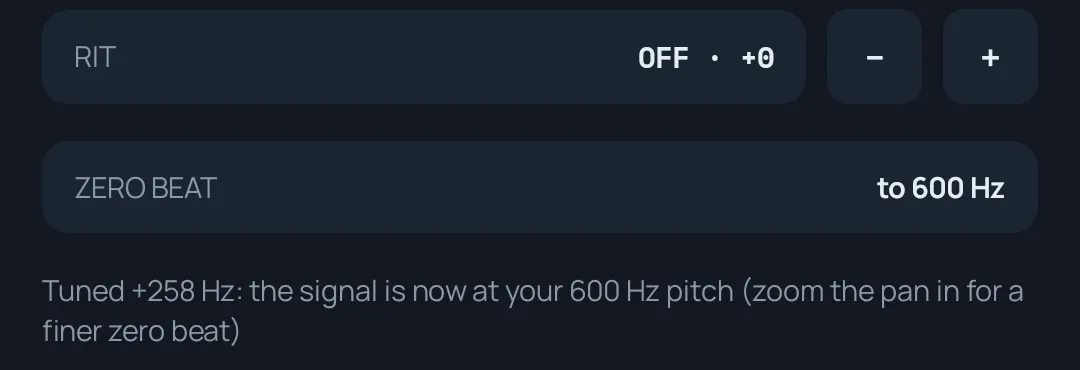
Tap the line under the frequency (“Slice A · CW · …”) to open the slice panel; the Zero beat card sits under RIT. In CW mode, tap it and the app finds the strongest signal inside your filter in the latest panadapter frame and tunes the slice so that station is heard at your CW pitch. The card shows the pitch the radio reports.
- If no signal stands at least 10 dB above the noise in your filter, it says “No signal to zero-beat” and doesn’t retune.
- If the station is already on your pitch, it says so and sends nothing.
- On a wide panadapter the result is coarser, and the message suggests zooming in for a finer zero beat.
- It works with RIT on, and it’s off for locked slices.
RIT and TX markers
The panadapter already drew each slice and the transmit slice in red. Now it also marks:
- RIT: a dashed amber line where you’re listening while RIT is on.
- TX: a dashed red line where you’ll transmit, with XIT on or on the transmit slice of a split.
The slice panel also gains − and + buttons next to RIT that move it in 50 Hz steps, up to ±1 kHz.
What we tested
We tested zero beat and the markers on our radio simulator, where zero beat landed within 10 Hz of the test signal. We haven’t yet checked it by ear on a real radio.
It’s coming in the next SmartSDR AF test build and reaches everyone with a later Google Play update. Feedback is welcome on our Discord.