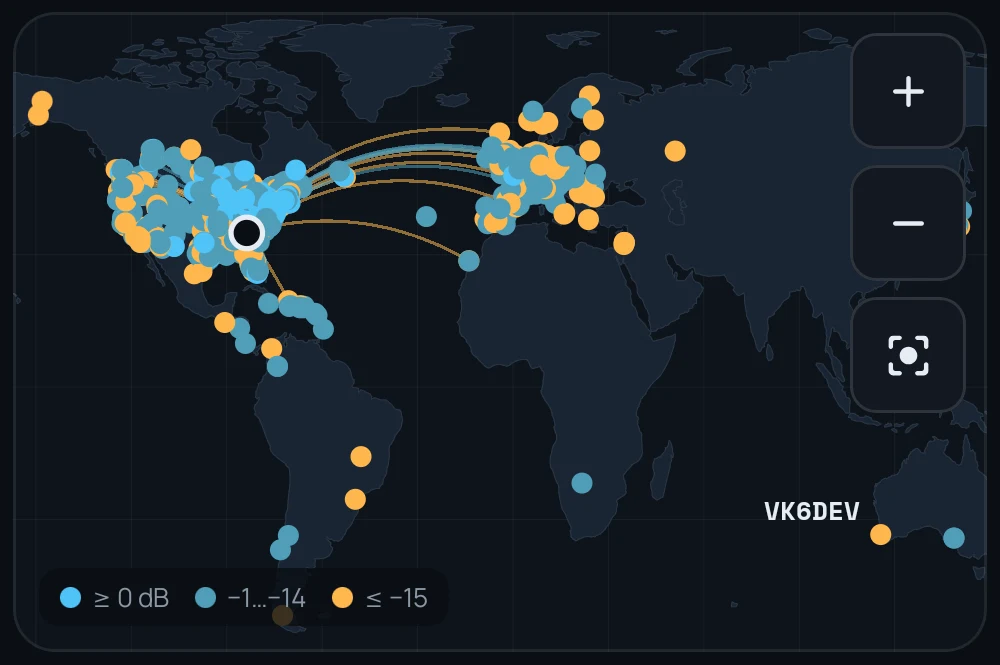
When you call CQ on FT8 you usually find out who heard you only when someone answers. Meanwhile thousands of stations run decoders around the clock and report every callsign they copy to PSK Reporter. The Heard map, new under Tools › Operating, puts those reports on a world map on your phone, live, while you operate.
What’s on the map
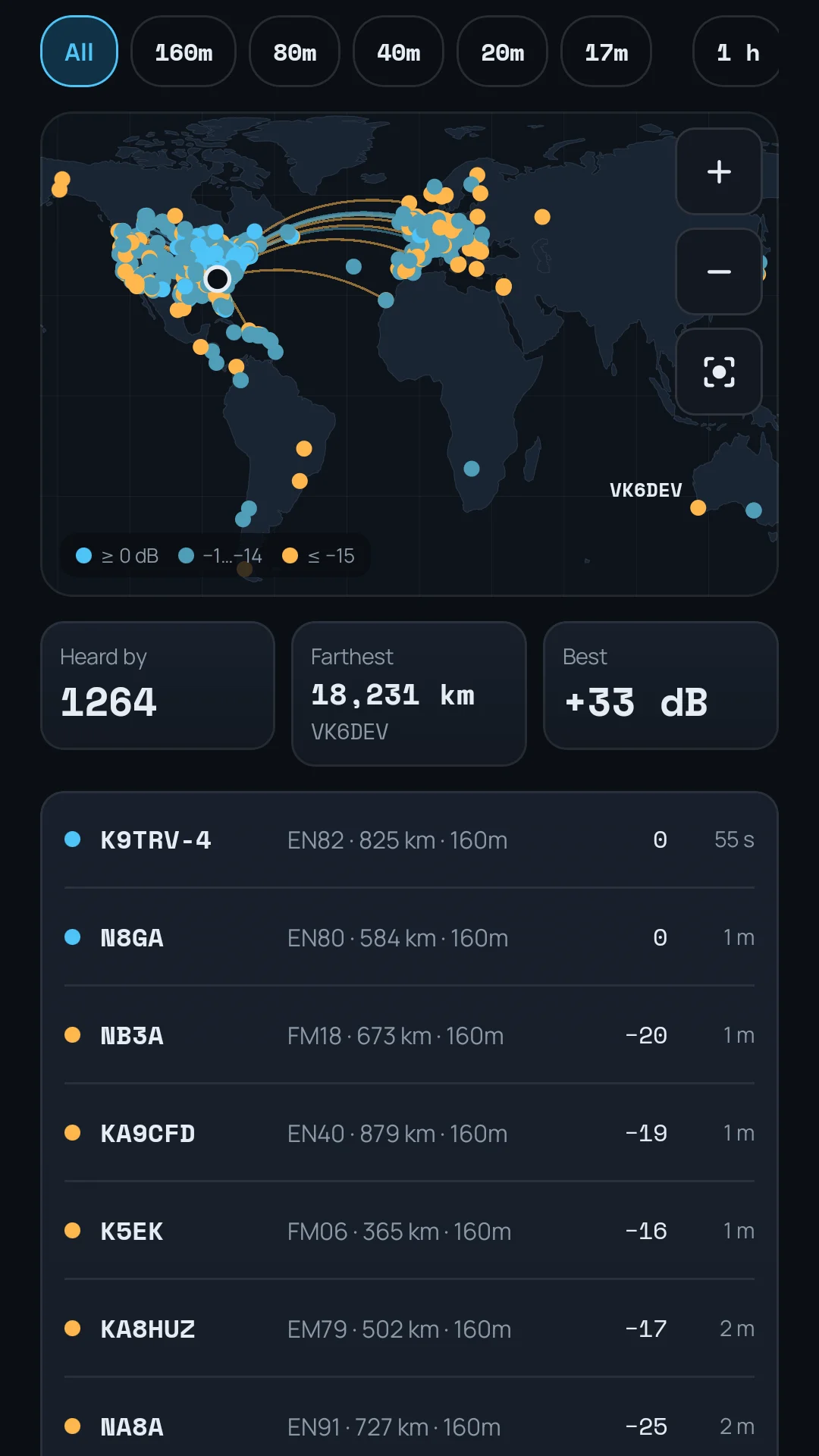
- A line from your grid square to every station that decoded you in the last hour, drawn along the great-circle path.
- Each dot’s colour is the report they sent: bright blue for 0 dB or better, darker blue for −1 to −14, orange for −15 and weaker.
- Chips for each band you were heard on, and a 15-minute or 1-hour window.
- Three numbers up top: how many stations heard you, the farthest one, and your best report.
Live, not a refresh button
When you open the map it loads the last hour of reports in one request, then stays connected to PSK Reporter’s live feed. New reports appear as soon as a station uploads them. Most decoding software uploads every few minutes, so expect your dots to arrive a few minutes after each transmission rather than instantly.
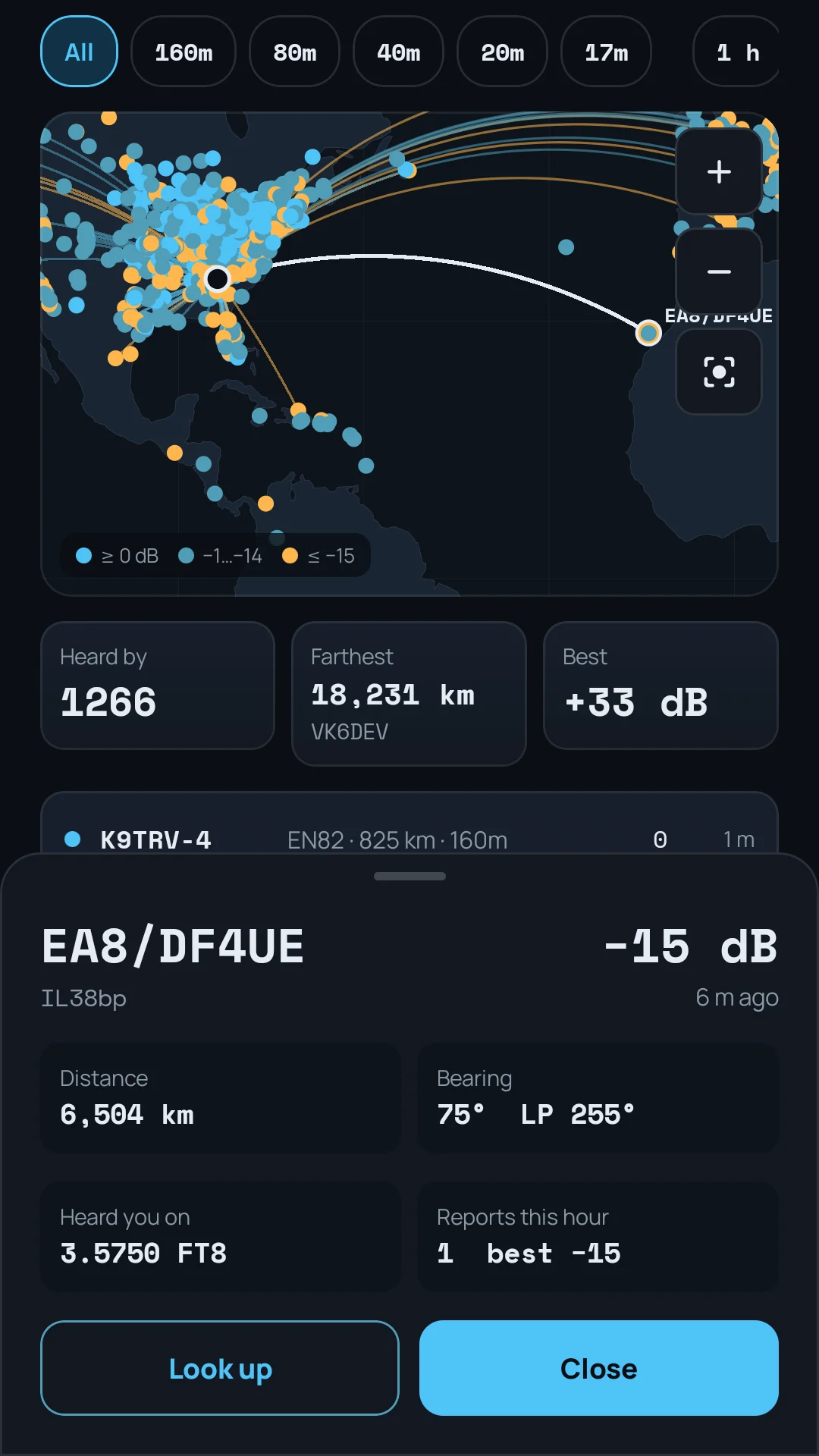
Tap any dot, or any row in the list, for the details: their grid, how far away they are, the short- and long-path bearing, the frequency and mode they heard you on, and how many times they reported you this hour. Look up opens the callsign in Call lookup.
Things to try
- Antenna A/B. Call CQ for ten minutes on one antenna, then ten on the other, and compare the 15-minute view.
- Catch an opening. Leave 10 m on the map in the morning and watch the far side of the ocean light up.
- QRP check. Drop to 5 W and see who still copies you.
Setting it up
The map needs your callsign. If you’ve used FT8, WSPR or the logbook in SmartSDR AF it’s already set; if not, type it on the Heard map screen. Your grid square puts you on the map. Tap Use my location to fill it in from your phone, or type it; leave it empty and the map uses the grid in the reports. Callsign and grid now also live in a new Settings › Station section, so you can change them any time, and FT8, WSPR and the logbook all use the same ones. It works with anything that reports to PSK Reporter: FT8, FT4, WSPR, JS8, PSK and more.
The map talks to PSK Reporter, not to your radio, so you can check it from anywhere, even in Demo mode.
Privacy
To ask who heard you, the app sends your callsign to PSK Reporter. Use my location asks for location permission only when you tap it, and saves just the grid square, never your coordinates. Your phone connects to PSK Reporter directly; nothing goes through us. The map itself is drawn on the phone from Natural Earth’s public-domain outlines. More in the privacy policy.
Thanks to Philip Gladstone for PSK Reporter, and to Tom, M0LTE, for its live feed.
Try it
It’s coming in the next SmartSDR AF test build and reaches everyone with the Google Play update after that. Tell us what you see on our Discord.