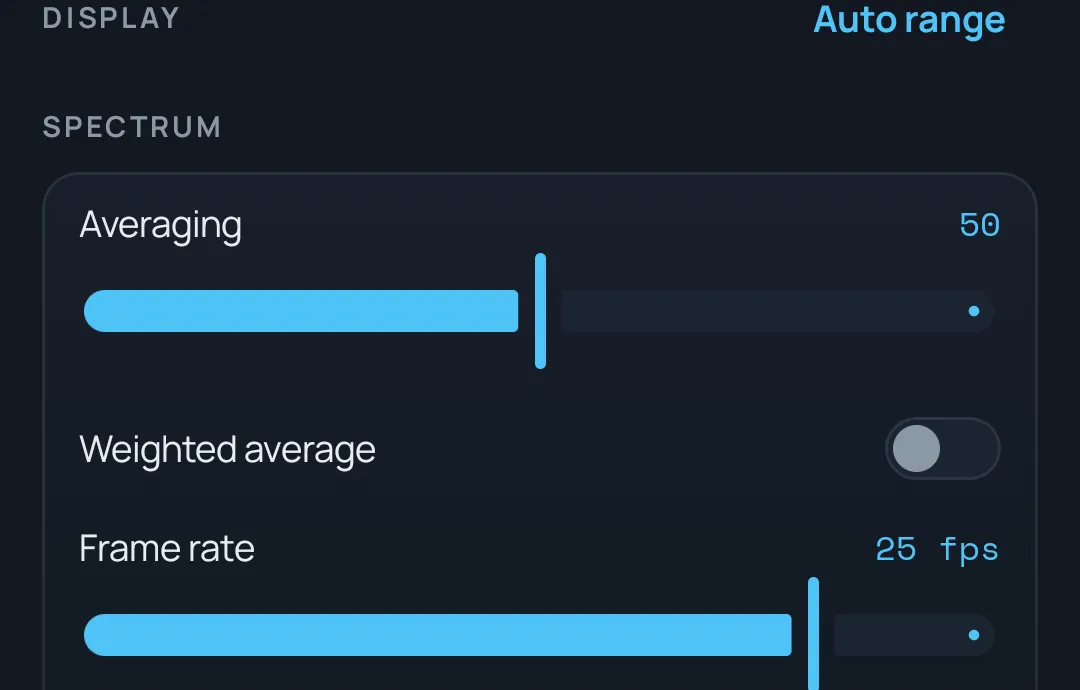
Every band and every antenna looks a little different on the panadapter. SmartSDR AF now lets you set how the spectrum and waterfall are drawn, the way other Flex clients do. The values live on the radio: each control sends its command straight away and shows what the radio echoes back.
Where it is
Hold the dBm scale, the strip of dBm labels on the right edge of the spectrum, to open the Display sheet:
- Spectrum: Averaging (0–100), Weighted average, Frame rate (5–30 fps), and the current dBm range.
- Waterfall: Colour gain (0–100), Auto black, Black level (0–100; it shows “Auto” while Auto black is on) and Speed (line duration).
- Auto range puts the bottom of the scale 10 dB below the noise floor and the top 10 dB above the strongest signal.
Drag to shift the range
Drag the dBm scale up or down to slide the whole range. Min and max move together in whole dB, so the span stays the same. A quick tap on the scale still tunes, like the rest of the spectrum.

What we tested
We built and tested this against our radio simulator, not a real radio yet. The radio protocol doesn’t document whether the radio applies waterfall colour gain and black level itself, so the app applies them when it draws. If the waterfall reacts twice as strongly as it does in SmartSDR, please tell us.
It’s coming in the next SmartSDR AF test build and reaches everyone with a later Google Play update. Feedback is welcome on our Discord.