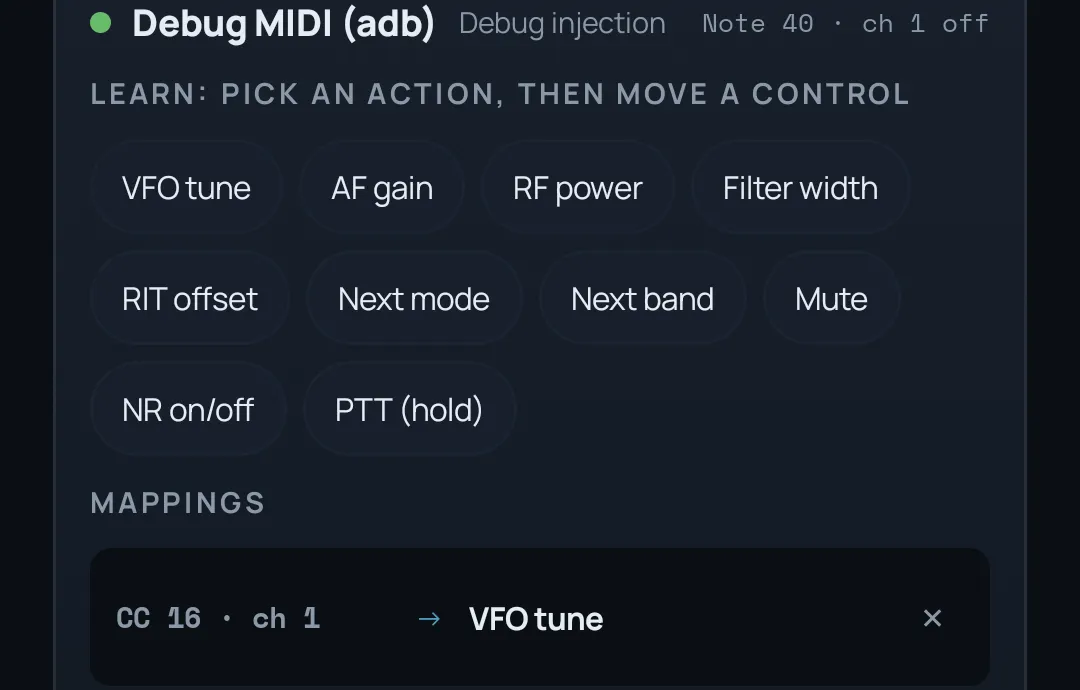
A real knob beats a touchscreen for tuning. SmartSDR AF now works with class-compliant USB MIDI controllers (an X-Touch Mini, a DJ controller, any knob box): plug one into the phone and map its knobs and buttons to the radio.
Where it is
Open Tools › Controllers. Every MIDI device Android reports shows up there when you plug it in (USB-C, or through an OTG adapter). With nothing connected the screen says “No controller connected”.
Learn
On a device’s card, tap an action, then move a knob or press a button on the controller. That control is now mapped to that action. Mappings are saved per device and survive restarts; a control maps to one action, re-learning replaces it, and each mapping has a delete button.
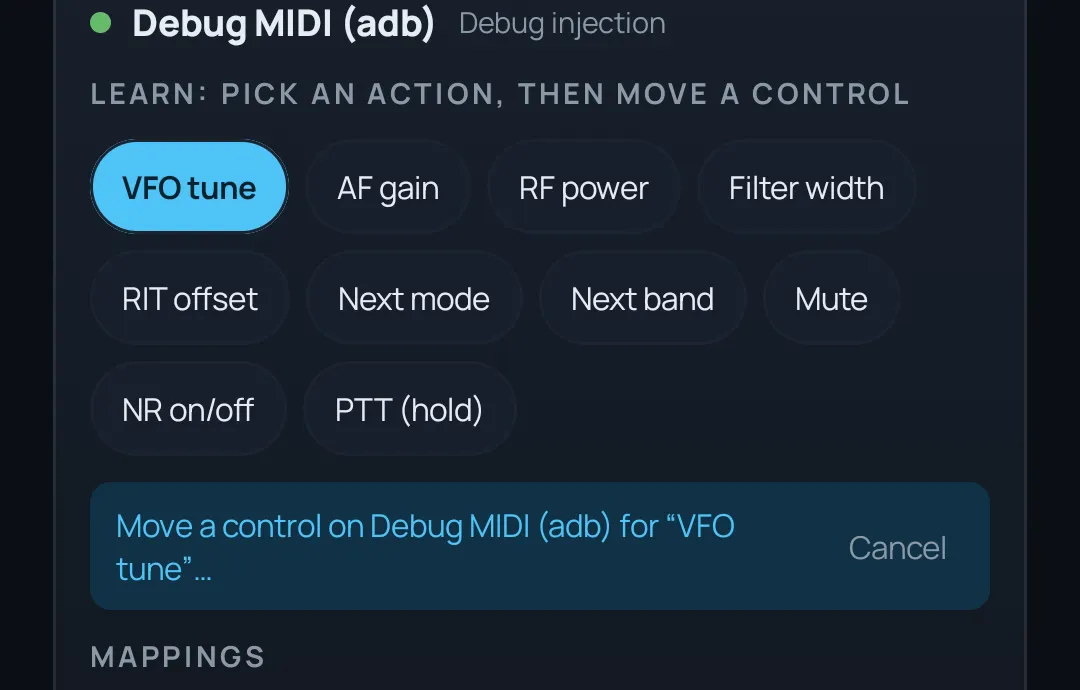
What you can map
- VFO tune on the active slice, one tuning step per click
- AF gain and RF power
- Filter width (steps through the mode’s filter presets)
- RIT offset in 10 Hz steps, up to ±1 kHz
- Next mode, next band, mute and NR on/off
- PTT, keyed while you hold the button
Endless encoders and plain absolute knobs both work: the app works out which kind a knob is from the values it sends.
PTT safety
A mapped PTT never keys in Demo mode or without a live radio connection, and the mapping says why. Letting go always unkeys, and so does unplugging the controller while you hold the button.
What we tested
We tested Learn and every action against our radio simulator, feeding MIDI in from a debug tool; we haven’t yet run it with a real USB controller on a real radio. Bluetooth MIDI controllers have their own post.
It’s coming in the next SmartSDR AF test build and reaches everyone with a later Google Play update. Tell us which controller you use on our Discord.